
Work with lists and multi-value properties
Multi-value data flows through three surfaces in MetaEdit: real YAML lists open Obsidian’s native list widget, frontmatter tags open Obsidian’s tags widget, and everything else - inline Dataview fields, plain scalars - can opt into an element-by-element list editor through the “Edit Mode” setting. This page walks through all three and the guarantees that keep your list elements intact.
Real YAML lists: the native list widget
Section titled “Real YAML lists: the native list widget”A top-level frontmatter list is a native-editable YAML property, so selecting it in the property picker opens the “Edit {key}” modal with Obsidian’s own chip editor - the same one the Properties view uses:
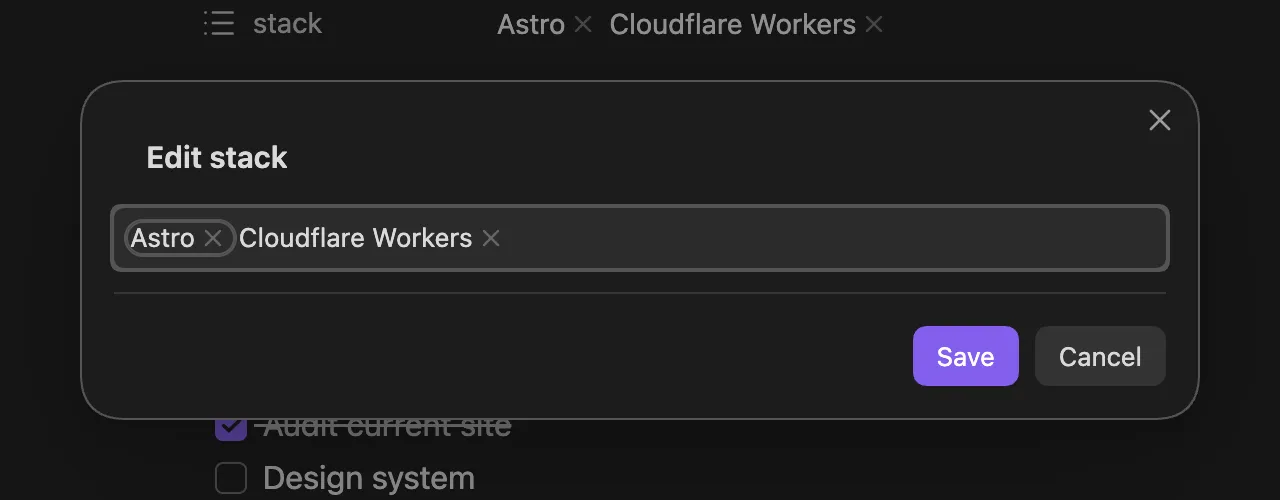
Add, remove, and retype chips exactly as you would in the Properties panel, then choose “Save”. “Cancel” - or saving without touching the widget - writes nothing. The value is written back as a real YAML list, and because each element is its own chip, elements containing commas or [[wikilinks]] are never split or mangled.
Everything about native editing applies here: the precedence ladder, eligibility rules, and safety guards. In particular, an Auto Property on the key still wins over the widget, and the Edit Mode setting plays no part - a real YAML list is inherently multi-value.
Lists whose elements are objects or nested lists are parent containers; MetaEdit does not edit those as a single value. See what MetaEdit can (and can’t) edit.
Frontmatter tags: the native tags widget
Section titled “Frontmatter tags: the native tags widget”A frontmatter tags: key is also inherently multi-value. Selecting it opens Obsidian’s native tags widget - pill chips with vault-aware tag autocomplete - inside the same “Edit {key}” modal. A singular tag: key does not get the tags widget: it opens the regular native widget for its value shape (the List chips for a list, a text field for a scalar), without tag autocomplete.
On MetaEdit’s non-native write paths (the public API, Auto Properties, legacy creation, and transforms), every write to a tags/tag key is canonicalized:
- Any stored shape - a list, a scalar, a comma- or space-separated string - is split into individual tags.
- Leading
#characters are stripped; Obsidian stores frontmatter tags without them. - The result is written back as a YAML list, Obsidian’s canonical form.
- Removing the last tag removes the key entirely rather than leaving a dangling
tags:ortags: [].
Body #tags are a different feature entirely - see edit tags.
Everything else: the list editor and Edit Mode
Section titled “Everything else: the list editor and Edit Mode”Values that are not native-editable YAML - inline Dataview fields and nested YAML scalars - are single values by default, edited through a plain text prompt. The “Edit Mode” setting lets you treat them as lists instead: when it applies, selecting the property opens MetaEdit’s element-by-element list editor rather than the single prompt.
The Edit Mode setting
Section titled “The Edit Mode setting”In the MetaEdit settings tab, “Edit Mode” is a dropdown with three values:
| Value | Meaning |
|---|---|
| “All Single” | Every value is edited as one value (the default) |
| “All Multi” | Every value is edited as a list |
| “Some Multi” | Everything is single except the properties you list |
With “Some Multi” selected, an extra button appears (tooltip: “Configure which properties are Multi.”). It opens a table where you add the property names to treat as lists:
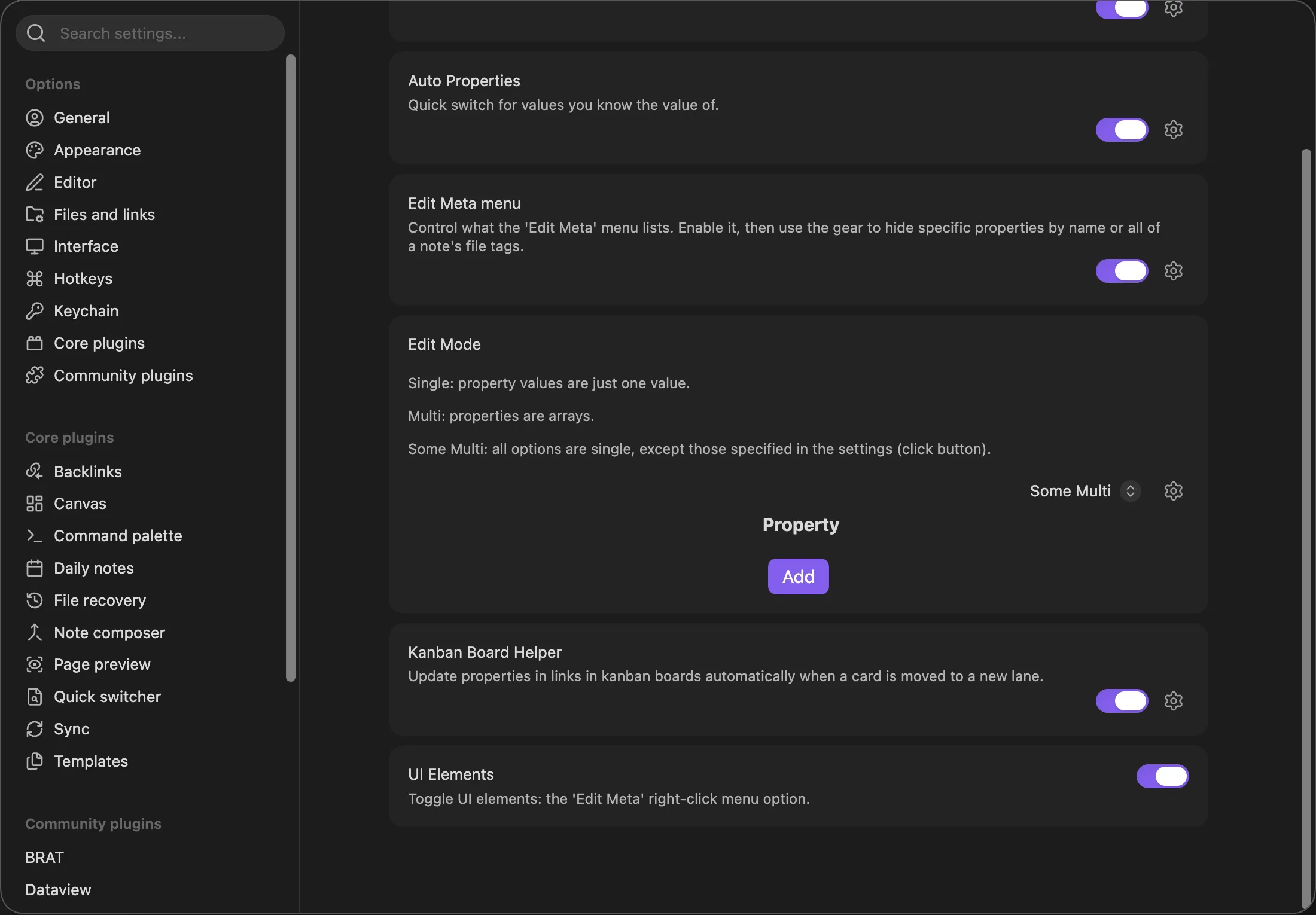
Name matching is exact and case-sensitive: genres does not match Genres. Changes save immediately, and the list persists even while another mode is selected. See the settings reference for the full section.
Using the list editor
Section titled “Using the list editor”The list editor is a pick-from-list prompt whose options adapt to the current state of the value:
| Current value | Options shown |
|---|---|
| Empty | “Add new value” |
| One value | The value, “Add to end”, “Add to beginning” |
| Several values | “Add to end”, each value, “Add to beginning” |
Picking an add option opens a prompt titled “Enter a new value”; picking an existing value opens “Change {value} to”, with the current value shown as placeholder text - type the full replacement. Cancelling any prompt, or submitting an empty value, changes nothing.
What Edit Mode also governs
Section titled “What Edit Mode also governs”Beyond routing edits, Edit Mode shapes new values on the legacy add paths. When the mode is “All Multi”, or “Some Multi” with the property listed, a scalar value written through those paths is wrapped into a one-element YAML list:
- “Transform to YAML ⇄ Dataview” when converting an inline field into frontmatter.
- The API’s
createYamlProperty. - Bulk edit adds.
- The Auto Property creation handoff - except that an Auto Property explicitly typed “Single” keeps its value scalar.
Auto Properties without an explicit “Single”/“Multi” type also inherit Edit Mode to decide whether their prompt is single-select or multi-select. See Auto Properties.
Guarantees
Section titled “Guarantees”Wherever MetaEdit edits multi-value data element by element, the same rules protect your values:
- Untouched elements are untouchable. A YAML list is edited off its original typed array, so every element you do not touch keeps its exact type, order, and spelling - numbers stay numbers,
nullstaysnull, and nothing is re-split or re-quoted. - Only edited elements become strings. The element you change or add is written as the string you typed; the rest keep their types.
- Comma splitting is wikilink-aware. When a scalar or inline value is split into elements for editing, commas inside
[[wikilinks]]never act as separators. - Arrays stay arrays; strings stay strings. Only values that started as YAML lists are written back as YAML lists. An inline Dataview field or a YAML scalar routed through the list editor is written back as a comma-joined string like
a, b.
All of these writes run through MetaEdit’s per-file write queue - see how MetaEdit writes to your notes.
Related pages
Section titled “Related pages”- Edit properties with native widgets - the full editor routing and safety guards.
- Create new properties - creating a List-typed property from the start.
- Edit tags - body tags and the frontmatter tags widget in depth.
- Settings reference - every Edit Mode option.