
Edit properties with native widgets
Pick a property from MetaEdit’s property picker and the right editor opens on its own: since 1.9.0, most YAML frontmatter properties get the exact widget Obsidian’s Properties view would use - a date picker for dates, a checkbox for booleans, chips for lists. This page explains which editor opens for what, and the safety rules behind every write.
Open the picker
Section titled “Open the picker”Run “MetaEdit: Run” from the command palette on an open note, or right-click a note in the file explorer (or an internal link) and choose “Edit Meta”. Both open the same property picker; see the quick start for a tour and commands and menus for every entry point.
Which editor opens
Section titled “Which editor opens”MetaEdit routes each row through a fixed precedence ladder. The first match wins:
| Precedence | You picked | What opens |
|---|---|---|
| 1 | A body #tag row |
The tag action flow - see edit tags |
| 2 | A key with an active Auto Property | The Auto Property value prompt. Auto Properties win over everything else |
| 3 | Any other top-level YAML property | The “Edit {key}” modal with Obsidian’s native widget - the rest of this page |
| 4 | An inline Dataview field or non-native YAML value, when Edit Mode says it is multi-value | The multi-value list editor - see work with lists |
| 5 | Everything else (inline fields, nested dot-path values) | A text prompt titled “Enter a new value for {key}” |
Auto Property matching is exact and case-sensitive, and only applies while the Auto Properties feature is enabled in settings.
The native editor
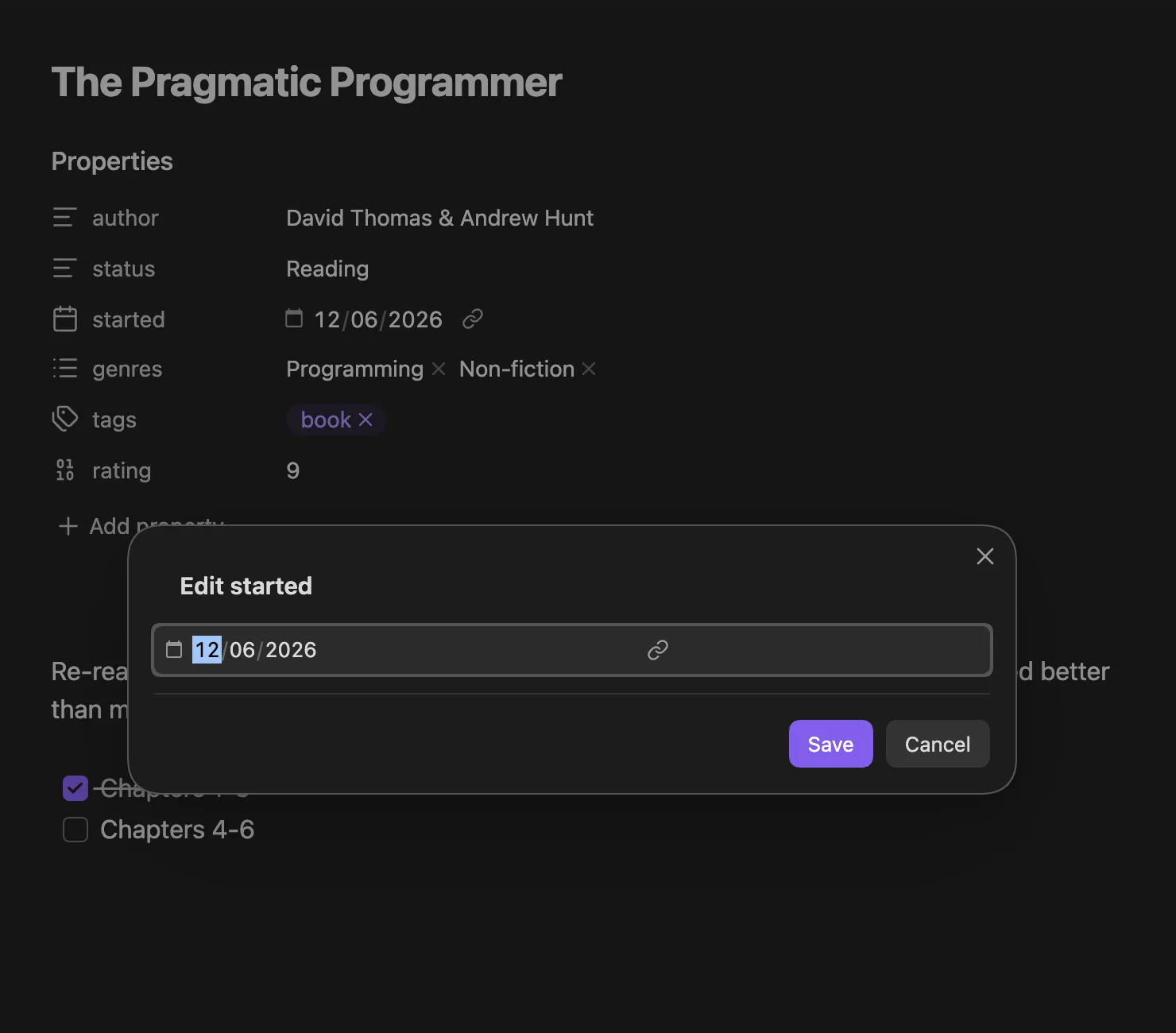
Section titled “The native editor”Selecting an eligible YAML property opens a modal headed “Edit {key}” - for a property named started, it reads “Edit started” - containing the same widget Obsidian’s Properties view uses for that key:
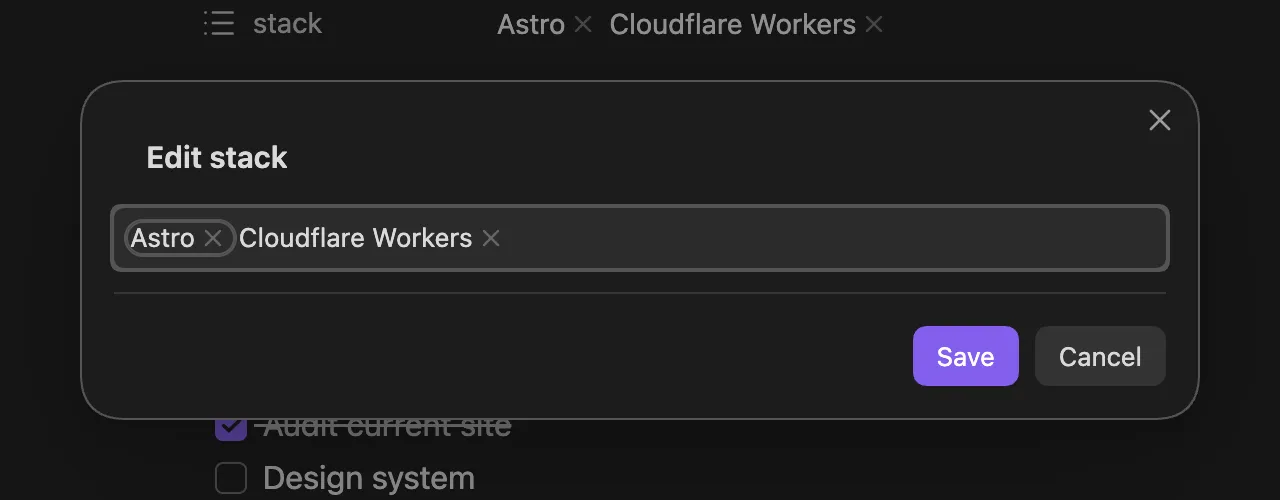
A list property gets the chip editor instead:
The widget is chosen the way Obsidian itself would choose it: the type you assigned in Obsidian’s Properties UI wins, then the vault-wide property info, then Obsidian’s expected type for the key, and finally the shape of the current value (an array opens the List widget, a boolean the Checkbox, a number the Number field, an ISO date the Date or Date & time picker). Reserved keys resolve by name: tags opens Obsidian’s tags pill widget, aliases the aliases widget, and cssclasses its list widget.
Two buttons finish the edit:
- “Save” writes the widget’s value to frontmatter. Values keep their real types - a date stays a date, a number stays a number, a list stays a list. Nothing is retyped into a string.
- “Cancel” (or closing the modal) writes nothing.
If you never touch the widget (and don’t change the type), “Save” also writes nothing - an untouched editor never modifies the file.
Change a property’s type
Section titled “Change a property’s type”The pill on the left of the editor shows the property’s current type. Click it - or press Cmd/Ctrl+Y - to switch the property to another type, from the same set Obsidian’s own “Property type” menu offers: Text, List, Number, Checkbox, Date, and Date & time.
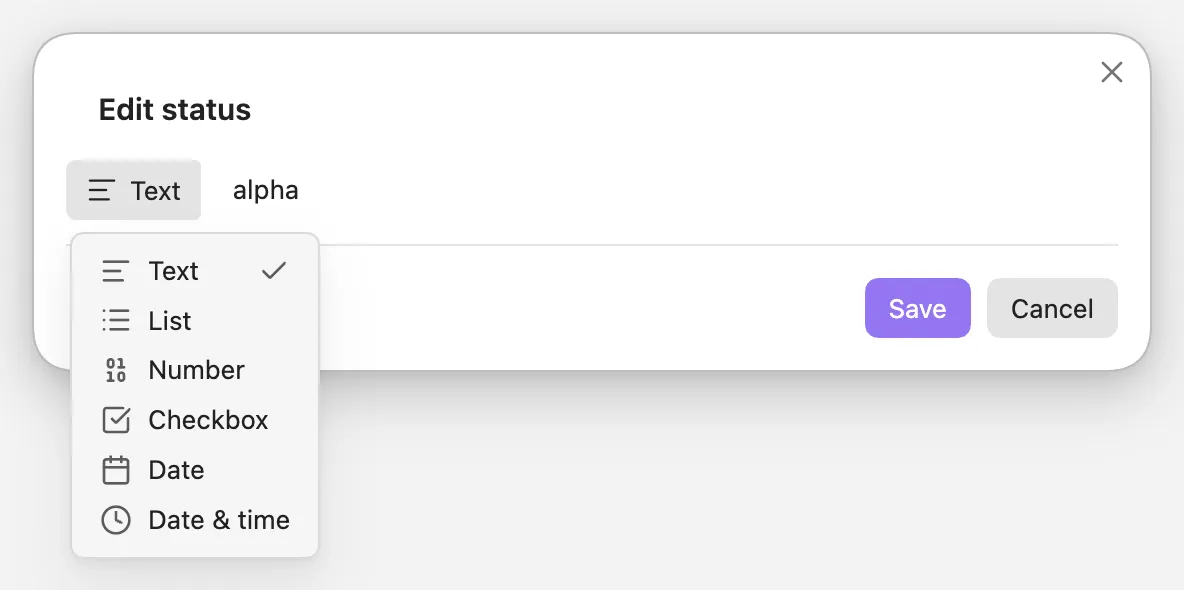
Picking a type swaps in that type’s widget and carries the current value across where the new type can represent it - a Text value of 2026-08-03 lands in the Date picker filled in, a list’s items fold into one comma-separated text value, and a value the new type can’t hold starts empty. Nothing is written until you press “Save”; “Cancel” leaves both the value and the type untouched.
Saving after a type switch does two things:
- Writes the value in the new type’s shape - switching
status: alphato List saves it as a proper YAML list. - Assigns the type in Obsidian’s vault-wide property types (the same setting Obsidian’s Properties view changes), so every note showing that key now uses the new widget.
Reserved keys (tags, aliases, cssclasses) have their types fixed by Obsidian, so their pill is shown locked.
What is eligible
Section titled “What is eligible”Native editing covers top-level YAML frontmatter properties. Three kinds of rows fall outside it:
- Nested values. A dot-path row like
parent.childoritems[0].nameis edited through the text prompt, not a native widget. - Parent containers. A key whose value is an object, or a list containing objects or lists, cannot be edited as a single value. These rows do not appear in the picker at all; if one is ever targeted anyway, MetaEdit refuses with the notice “Nested YAML parent ‘{key}’ cannot be edited as a text value.”
- Inline Dataview fields.
key:: valuefields live in the note body, not frontmatter, so they use the text prompt or the list editor depending on Edit Mode.
See what MetaEdit can (and can’t) edit for the full model.
Safety guards
Section titled “Safety guards”Every native edit is guarded so a race or a widget failure can never corrupt your note:
- Stale-value guard. Before writing, MetaEdit verifies the property still holds the value the modal opened with. If the note changed underneath you - another plugin, a sync, your own edit in another pane - the write is refused with “MetaEdit could not update ‘{key}’: current value changed before update.” Reopen the picker and try again.
- Fail-closed on missing values. If you typed into the widget but it never reported a value back to MetaEdit, “Save” refuses with “MetaEdit did not receive a value from Obsidian’s native editor for ‘{key}’. Nothing was written.” and the modal stays open.
- Render failures block the write. If the widget fails to render, the modal shows “MetaEdit could not render Obsidian’s native editor for ‘{key}’.” and disables “Save” entirely.
- Serialized writes. All MetaEdit writes to one file run through a per-file queue, so concurrent operations apply in order instead of losing updates. See how MetaEdit writes to your notes.
The text prompt
Section titled “The text prompt”Rows with no richer editor - inline Dataview fields under the default Edit Mode, and nested dot-path values - open a prompt titled “Enter a new value for {key}”, pre-filled with the current value. Where Obsidian’s metadata cache knows values already used for the property elsewhere in the vault, the prompt suggests them in a dropdown, most-used first. Inline Dataview field values are not indexed by Obsidian, so inline fields currently get no value suggestions.
Submitting an empty value or pressing Escape changes nothing.
Related pages
Section titled “Related pages”- Create new properties - the “New YAML property” and “New Dataview field” rows.
- Work with lists and multi-value properties - the list widget, the legacy list editor, and Edit Mode.
- Auto Properties - reusable value sets that take precedence over every other editor.
- Delete and transform properties - the row action icons next to each property.