
Kanban-driven project status
Build a project board where dragging a card is all it takes: about five seconds after you drop a card in a new lane, MetaEdit writes the lane name into the linked note’s status property. A Dataview query then groups your projects by status, so the board and every query stay in sync without you ever opening a note.
What you need
Section titled “What you need”- MetaEdit 1.9.0 on Obsidian 1.12.7 or newer (desktop or mobile).
- The community Kanban plugin. MetaEdit’s board picker only lists notes with a
kanban-pluginfrontmatter key, which is what the Kanban plugin writes. - The community Dataview plugin for the query at the end (optional).
Step 1: create the board
Section titled “Step 1: create the board”Create a Kanban board named Projects with three lanes: Backlog, In Progress, and Done. Each card is a link to a project note. Under the hood the board is plain markdown:
---kanban-plugin: board---
## Backlog
- [ ] [[Website relaunch]]- [ ] [[Podcast pilot]]
## In Progress
- [ ] [[Newsletter revamp]]
## Done
- [ ] [[Docs migration]]
The lane headings are what MetaEdit will write as property values, so name them exactly what you want to see in your notes.
Step 2: give every project note a status property
Section titled “Step 2: give every project note a status property”The Kanban Board Helper only ever updates an existing property - it never creates one. Every note a card links to must already have the property. Frontmatter works:
---status: Backlog---So does an inline Dataview field anywhere in the note body:
status:: BacklogProperty names match exactly and case-sensitively: a board row configured for status will not update a note’s Status.
Step 3: register the board in MetaEdit
Section titled “Step 3: register the board in MetaEdit”- Open Settings, then MetaEdit.
- Turn on the “Kanban Board Helper” toggle. Its description reads “Update properties in links in kanban boards automatically when a card is moved to a new lane.” No restart is needed.
- Click the gear button on the row to expand the configuration panel.
- In the text input at the bottom, start typing
Projects. The input suggests every note with akanban-pluginfrontmatter key. Pick the board, then click “Add”. The typed text must exactly match a suggested board name, or “Add” does nothing. - In the new table row, type
statusinto the “Property in link” column (placeholder “Property name”).
The “Possible values” column shows the board’s current lane headings, so for this board it reads Backlog, In Progress, Done.
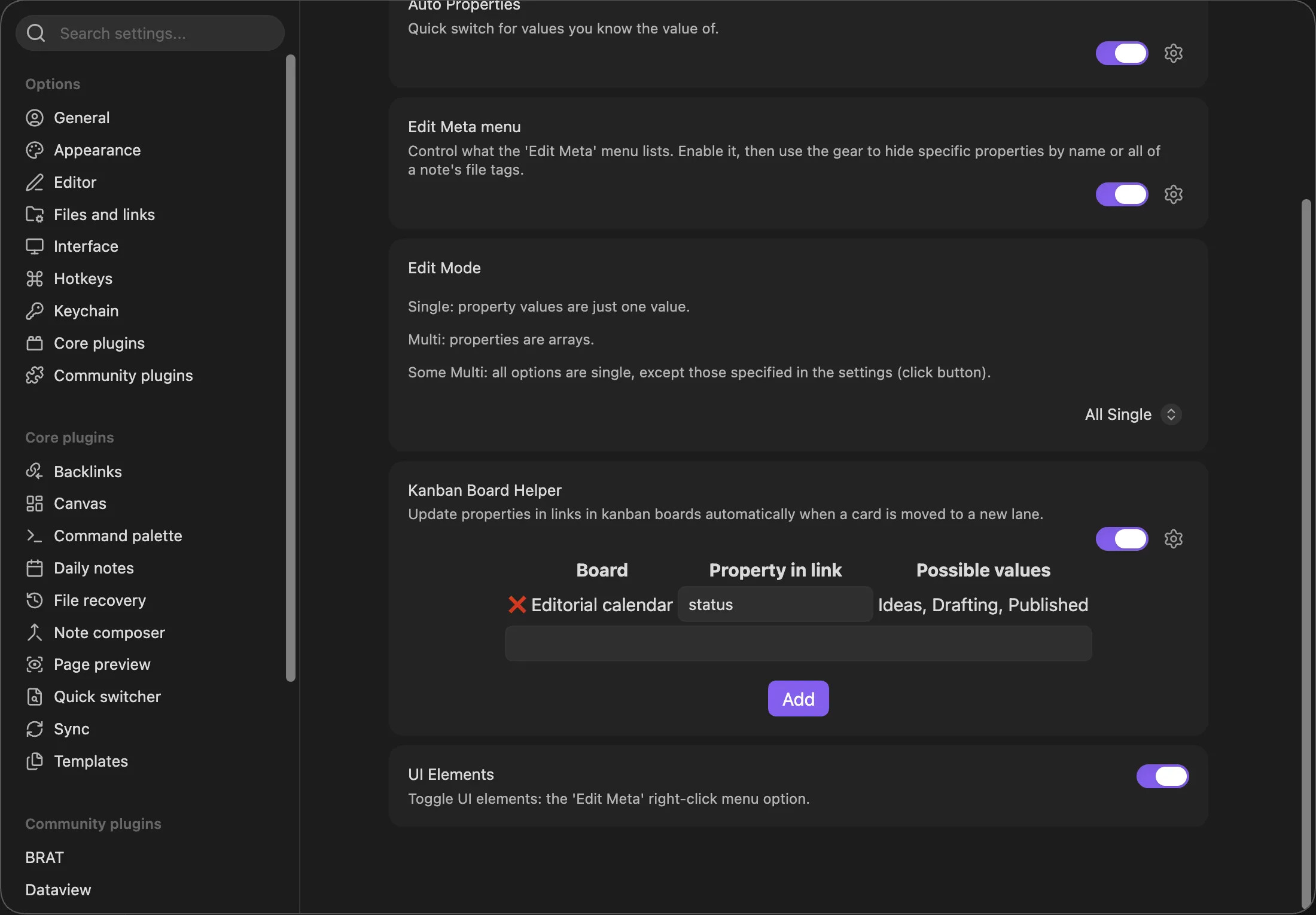
The panel above shows a different example board; yours will list Projects with the three lanes from step 1.
Step 4: drag a card
Section titled “Step 4: drag a card”Drag Website relaunch from Backlog to In Progress. MetaEdit debounces board modifications for 5 seconds, so about five seconds after the last change the linked note updates:
---status: In Progress---If you keep rearranging the board, the timer resets; the sync runs 5 seconds after you stop. Only a value that actually differs from the lane gets written, so re-saving a board without moving cards is a no-op.
For a deeper look at how the helper resolves cards and lanes, see the Kanban Board Helper guide.
Step 5: query it with Dataview
Section titled “Step 5: query it with Dataview”With the property maintained automatically, a grouped Dataview table stays current on its own:
```dataviewTABLE rows.file.link AS ProjectFROM "Projects"WHERE statusGROUP BY status```Drag a card, wait a few seconds, and the table regroups. The same property also powers WHERE status = "In Progress" filters in dashboards, since the values are the literal lane headings.
Troubleshooting shortlist
Section titled “Troubleshooting shortlist”| Symptom | Cause and fix |
|---|---|
Notice: MetaEdit: (ERROR) 'status' not found in "Website relaunch" (Kanban board 'Projects'). |
The linked note lacks the property. The helper updates properties but never creates them - add status to the note first (step 2). |
| Nothing happens after a drag | Wait for the 5-second debounce; it resets while the board keeps changing. The helper only reacts to modifications made through Obsidian. |
| One specific card never syncs | Only the leading link of a top-level card line counts (- [ ] [[Note]] ...). Trailing links such as Kanban date links, links in the card text, and indented sub-items are ignored. A card sitting above the first lane heading has no lane and is skipped. If several notes share the card’s bare name and Obsidian cannot resolve the link, the helper skips it rather than guess. |
| Board stopped syncing after you renamed it | Boards are matched by file basename, and the stored row keeps the old name. Remove the row and re-add the renamed board. If the board file is gone, its “Possible values” cell shows FILE NOT FOUND. |
| “Add” does nothing | The typed name must exactly match a suggested board, and boards already registered are ignored. |
| Property present but still not updating | Matching is exact and case-sensitive: status is not Status. Check the “Property in link” spelling. |
The helper shares the automator pipeline’s gates with Progress Properties: it processes markdown files only, the modified file needs YAML frontmatter (a Kanban board always has one), Excalidraw notes are skipped, and unchanged content is skipped. Every write goes through MetaEdit’s per-file queue - see how MetaEdit writes to your notes.